 Cookify
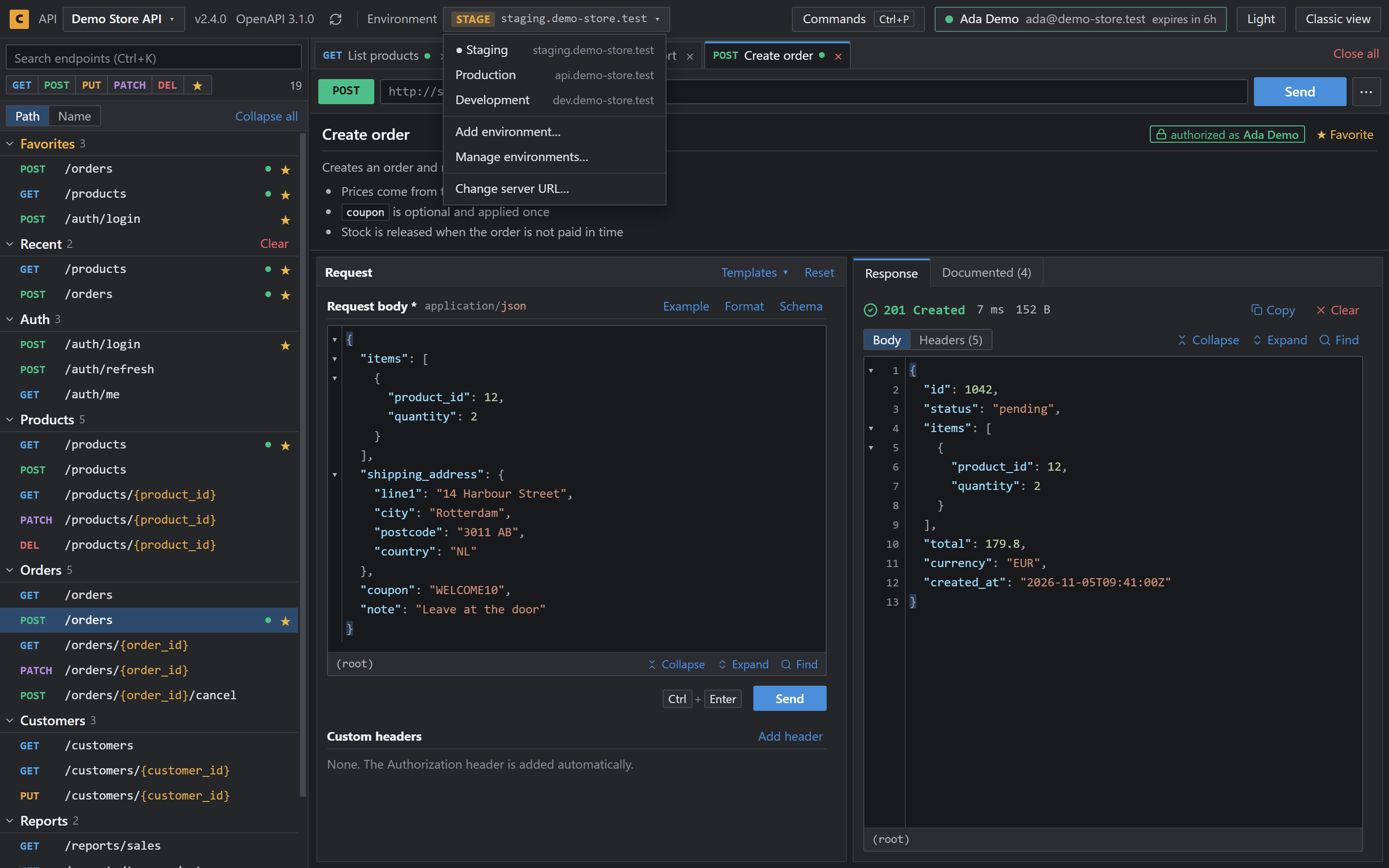
A Postman-like client on your ASP.NET Core Swagger page
Swashbuckle gives your ASP.NET Core API a Swagger UI page at /swagger. Cookify turns that page into a workspace with no code changes.
| Library | Swashbuckle |
|---|---|
| Docs address | /swagger |
| API document | Found from the page, usually /swagger/v1/swagger.json |
| Changes to your app | None |
Set it up
- Add Cookify from the Chrome Web Store.
- Run your project and open
/swagger. - Save the API when Cookify asks, or choose Not now.
- Open an endpoint and send a request.
What you get
- Several endpoints open in tabs
- Request bodies that stay after a refresh
- Development, Staging and Production with a token for each
- Command palette on
Ctrl+P - Dark theme by default
Local and deployed environments
Add your local address and your deployed addresses to one saved API. Tabs and drafts follow you between them, and each environment keeps its own token.
Questions
- Does my project need Swagger UI?
- Yes. Cookify works on pages that run Swagger UI, so the project needs a Swagger UI page, for example with Swashbuckle.
- Do I need to change Program.cs?
- Not if you already call
UseSwaggerUI. - Does it read Swagger 2.0 and OpenAPI 3?
- Yes. Cookify reads Swagger 2.0 and OpenAPI 3.x documents.