Cookify GitHub Add to Chrome

Turn any Swagger UI page into an API client

Postman-like tabs, environments, saved tokens and dark mode on the docs page you already have. No import, no setup.

Free and open source. No account, no analytics. Works with FastAPI, NestJS, Express, ASP.NET Core and Spring Boot.

How it works

  1. Install the extensionAdd Cookify from the Chrome Web Store.
  2. Open your Swagger UI pageCookify finds the API document on the page by itself.
  3. Start sending requestsYour endpoints, schemas and examples are already there.

Made for working all day

Send requests without losing your place

Keep several endpoints open in tabs. Parameters get a field that fits their type, and request bodies start from the schema's example in a JSON editor with folding and search. Your bodies are saved, with one click back to the default.
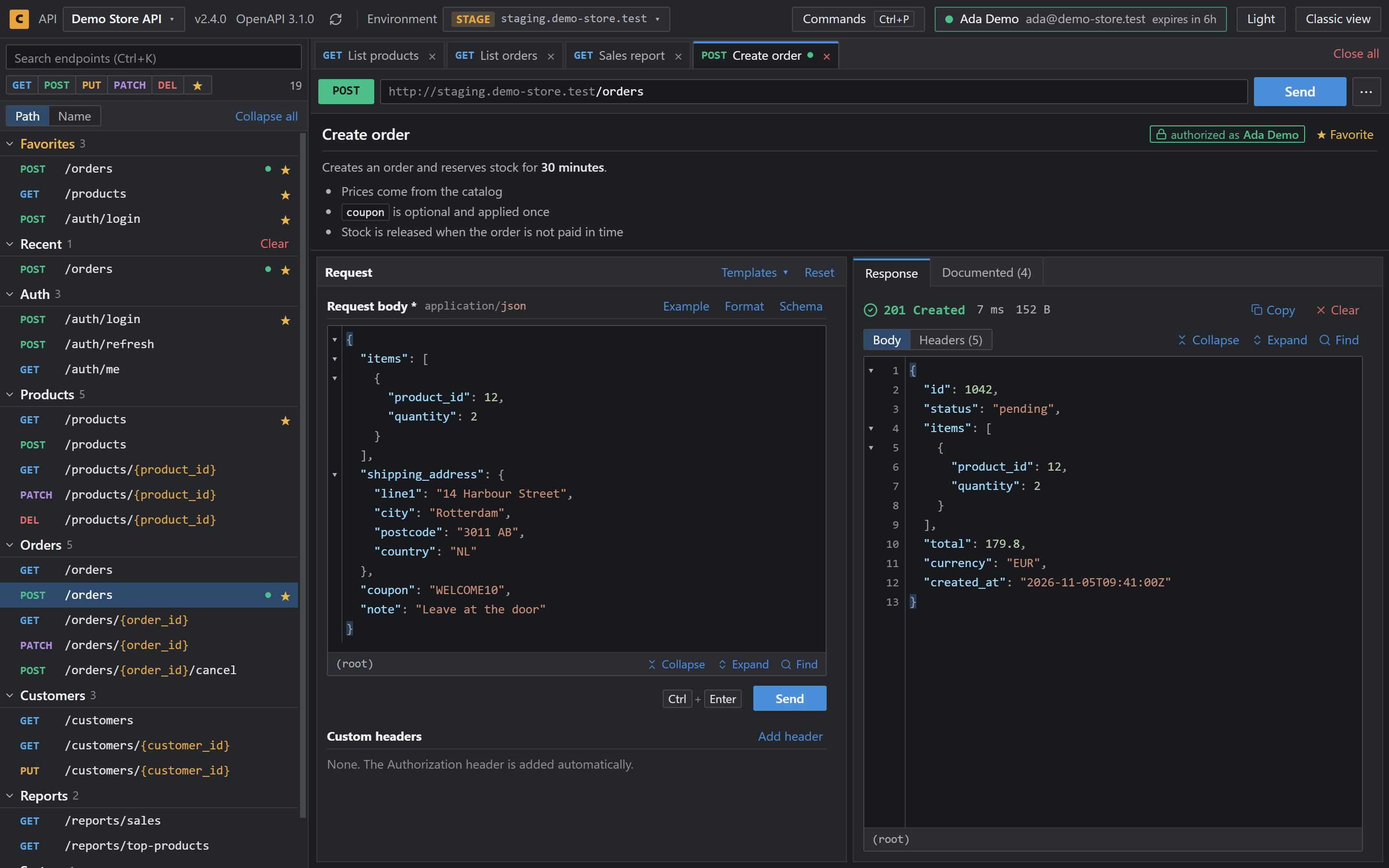
A request body next to its JSON response in Cookify

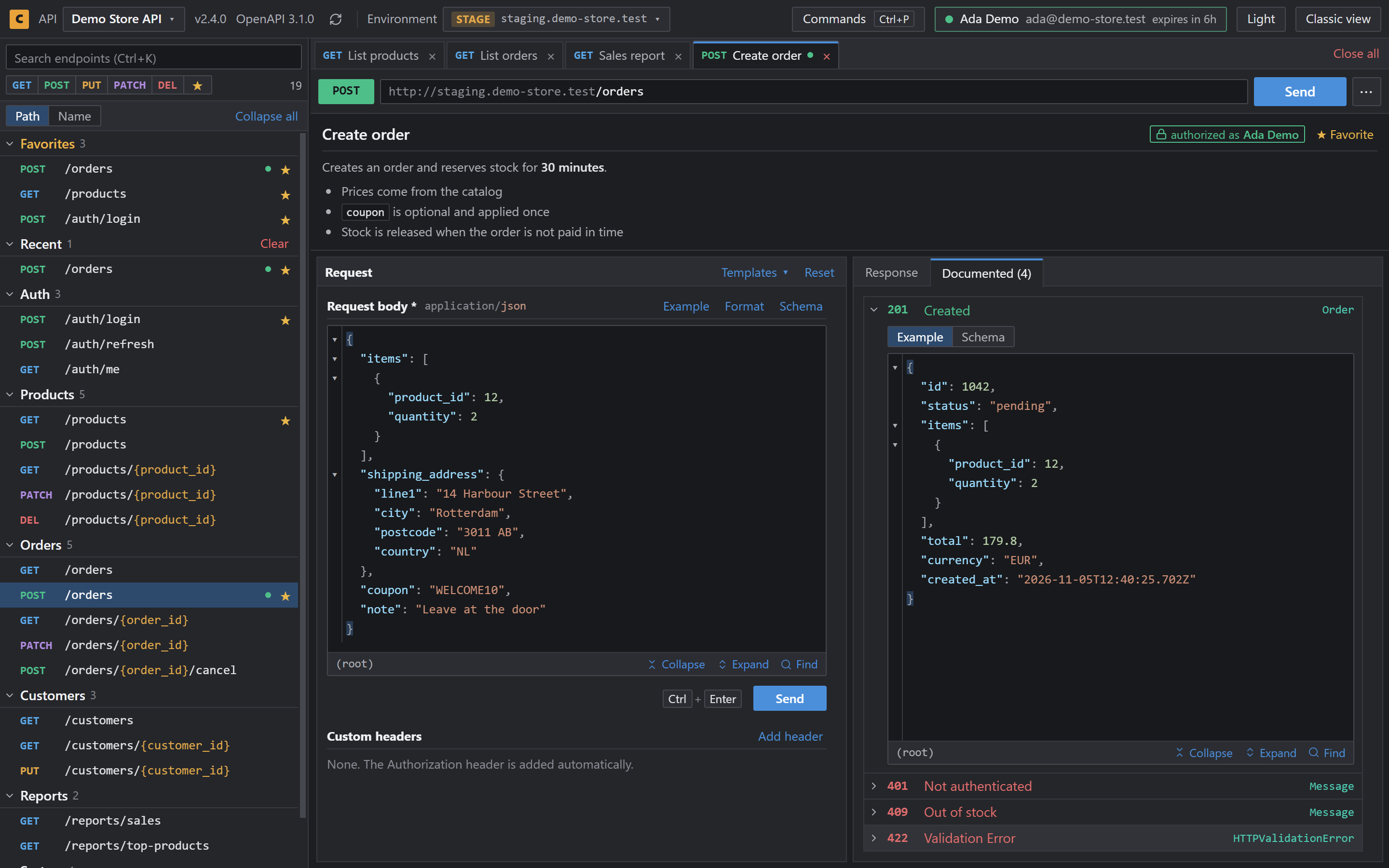
See every documented response

Read the body, headers, status, time and size next to your request. Every documented response has its example and schema, colored by status code.

Documented responses colored by status code

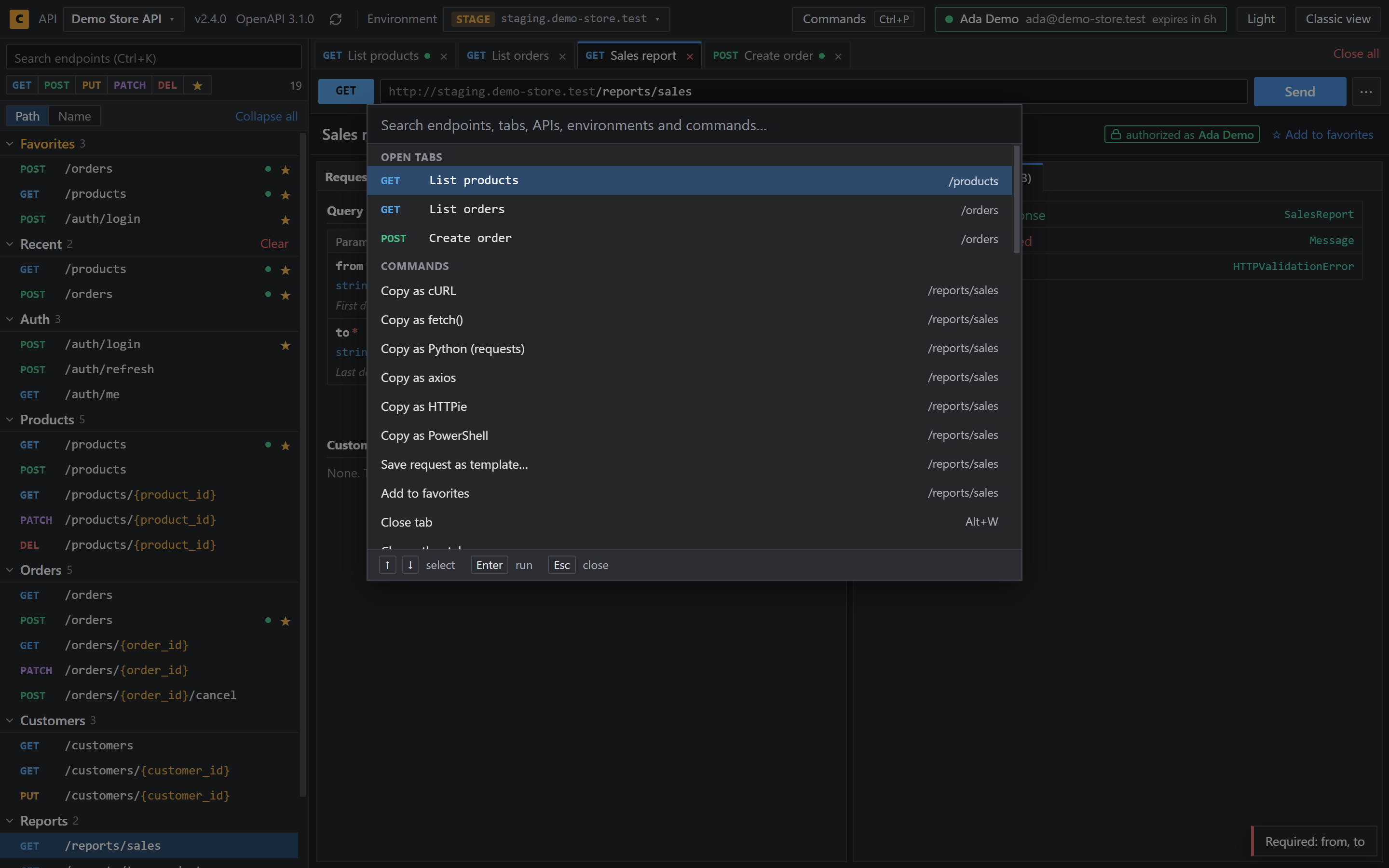
Find anything with Ctrl+P

The command palette searches endpoints, tabs, APIs, environments and commands. Filter the list by method or favorites, and copy any request as cURL, fetch, Python, axios, HTTPie or PowerShell.

Command palette listing endpoints

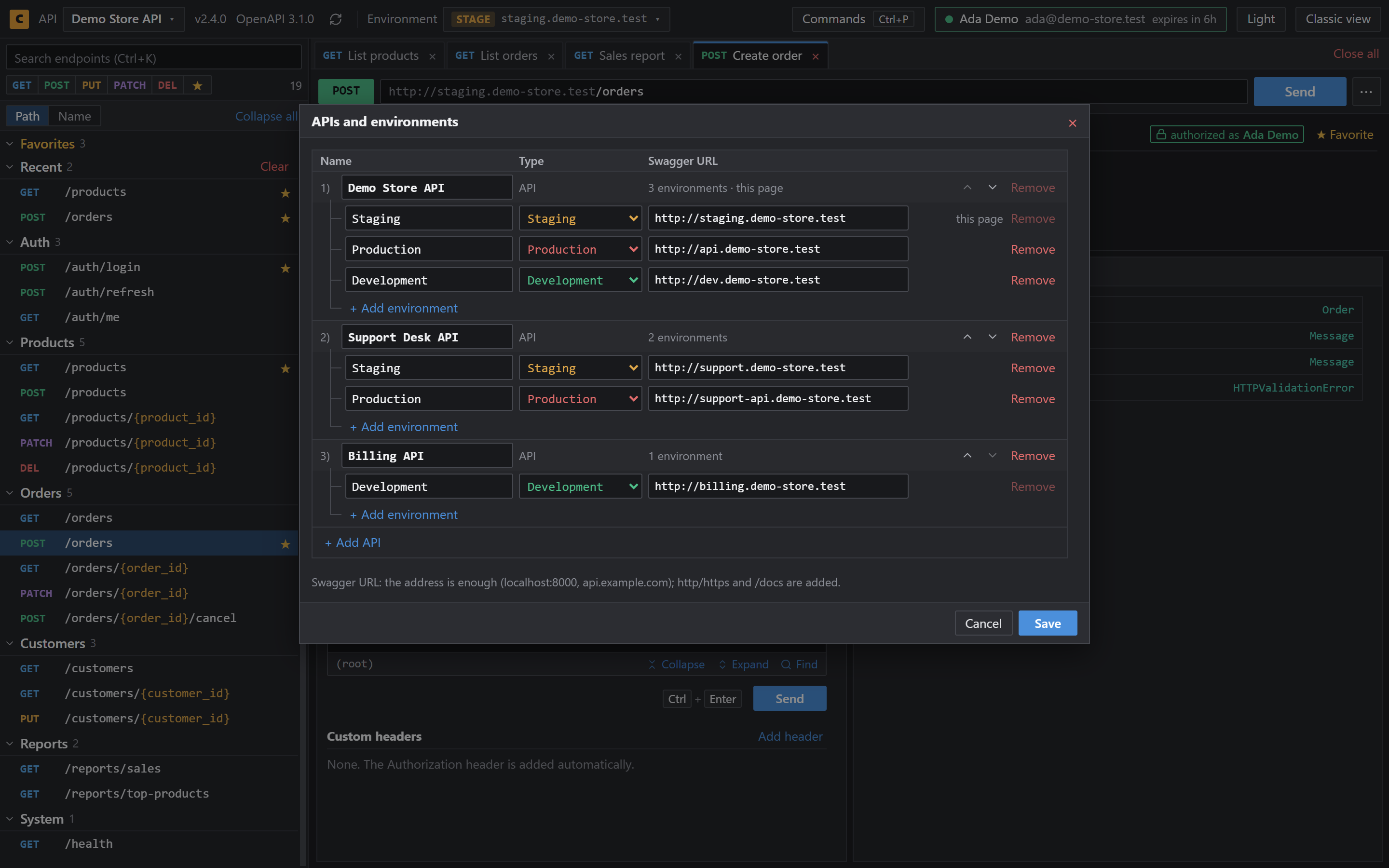
Switch environments, keep your tabs

Save an API once and move between Development, Staging and Production. Favorites, tabs and drafts stay with you, and each environment keeps its own token.

Table of saved APIs and their environments

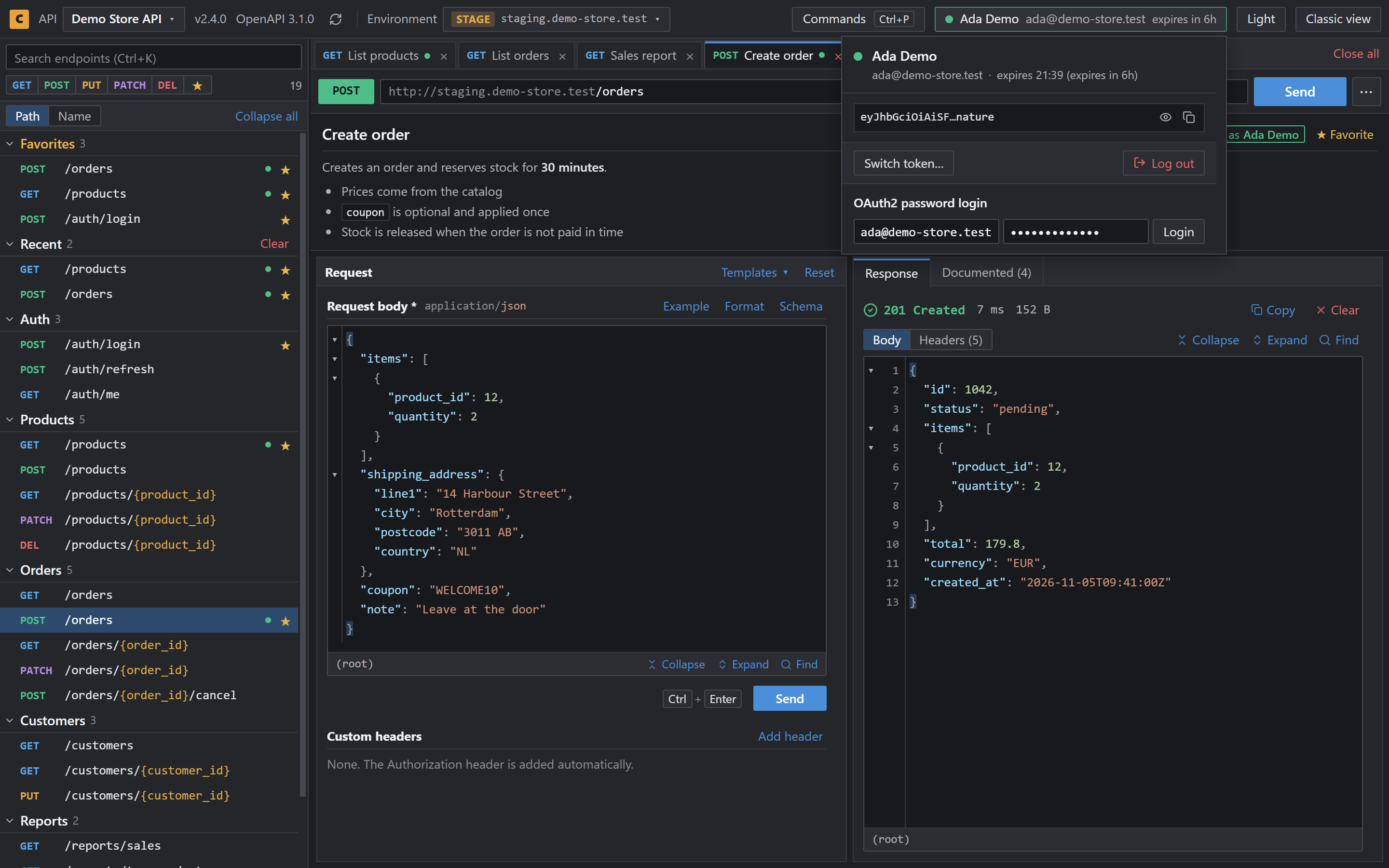
Sign in once

Log in with the API's OAuth2 password flow, or pick a saved token. The header shows who you are and when the token expires, and every request uses it.

Signed-in user and token expiry in the header

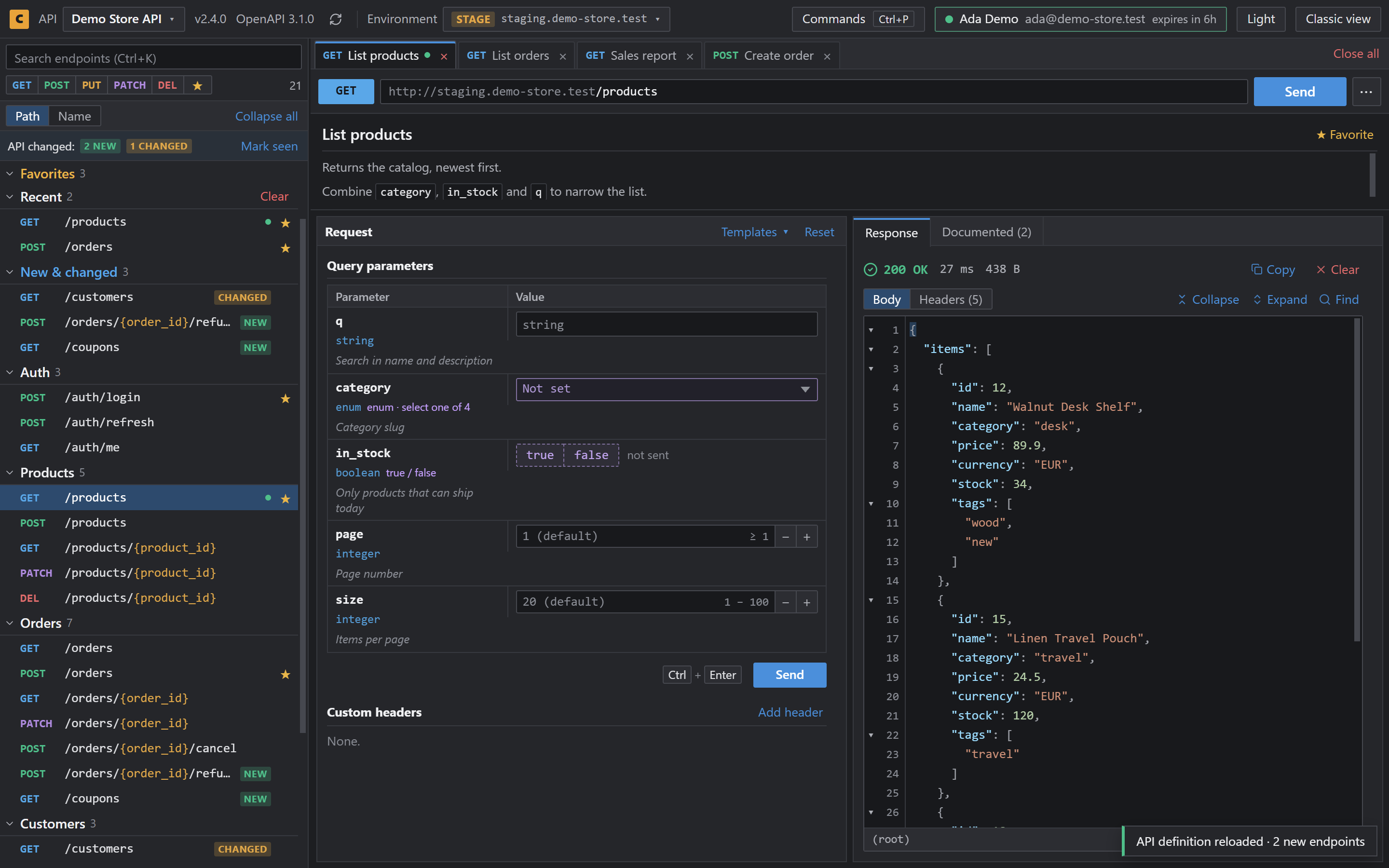
Know when the API changes

New, changed and removed endpoints are marked in the list when the API definition changes, so you don't have to compare anything by hand.

New and changed endpoints marked in the list

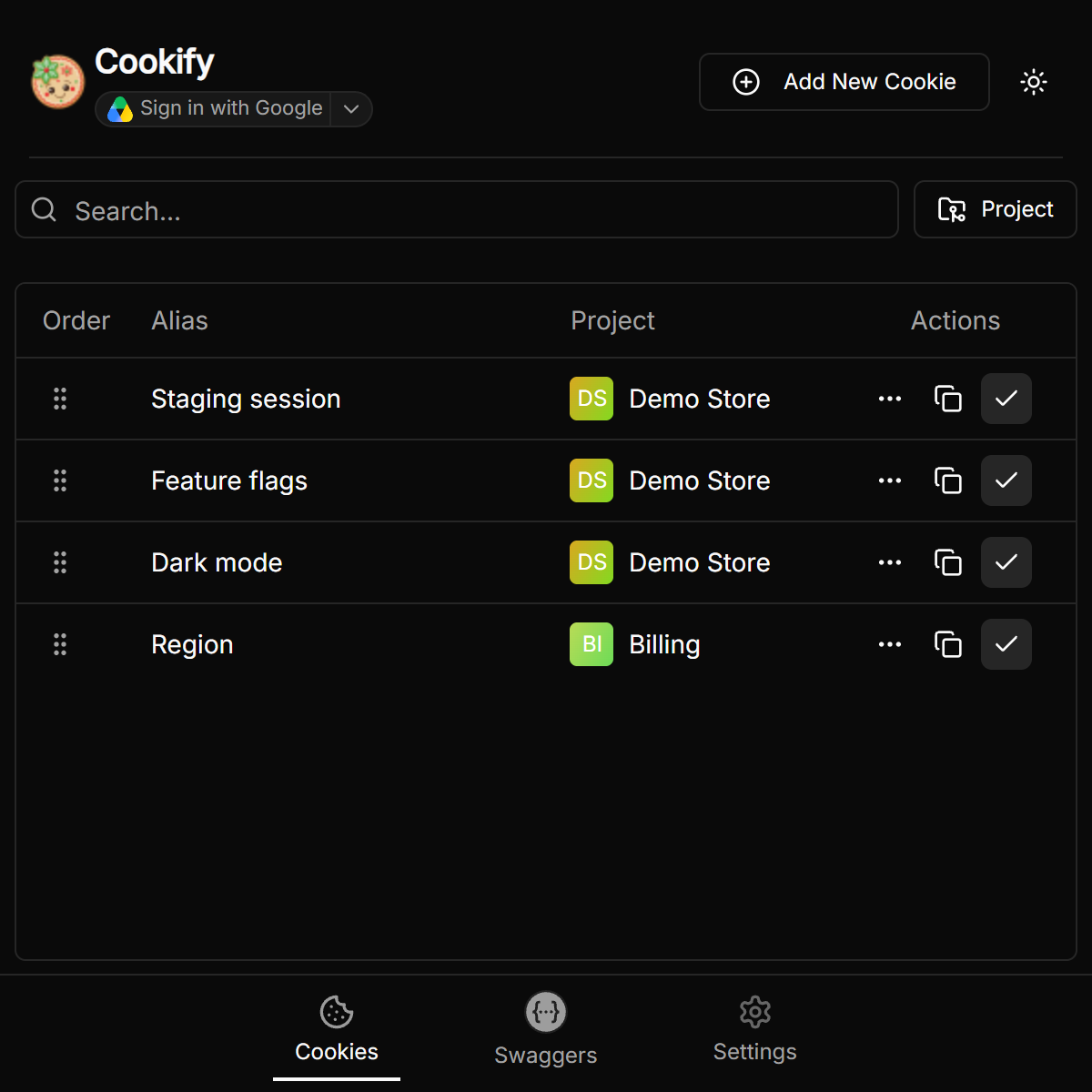
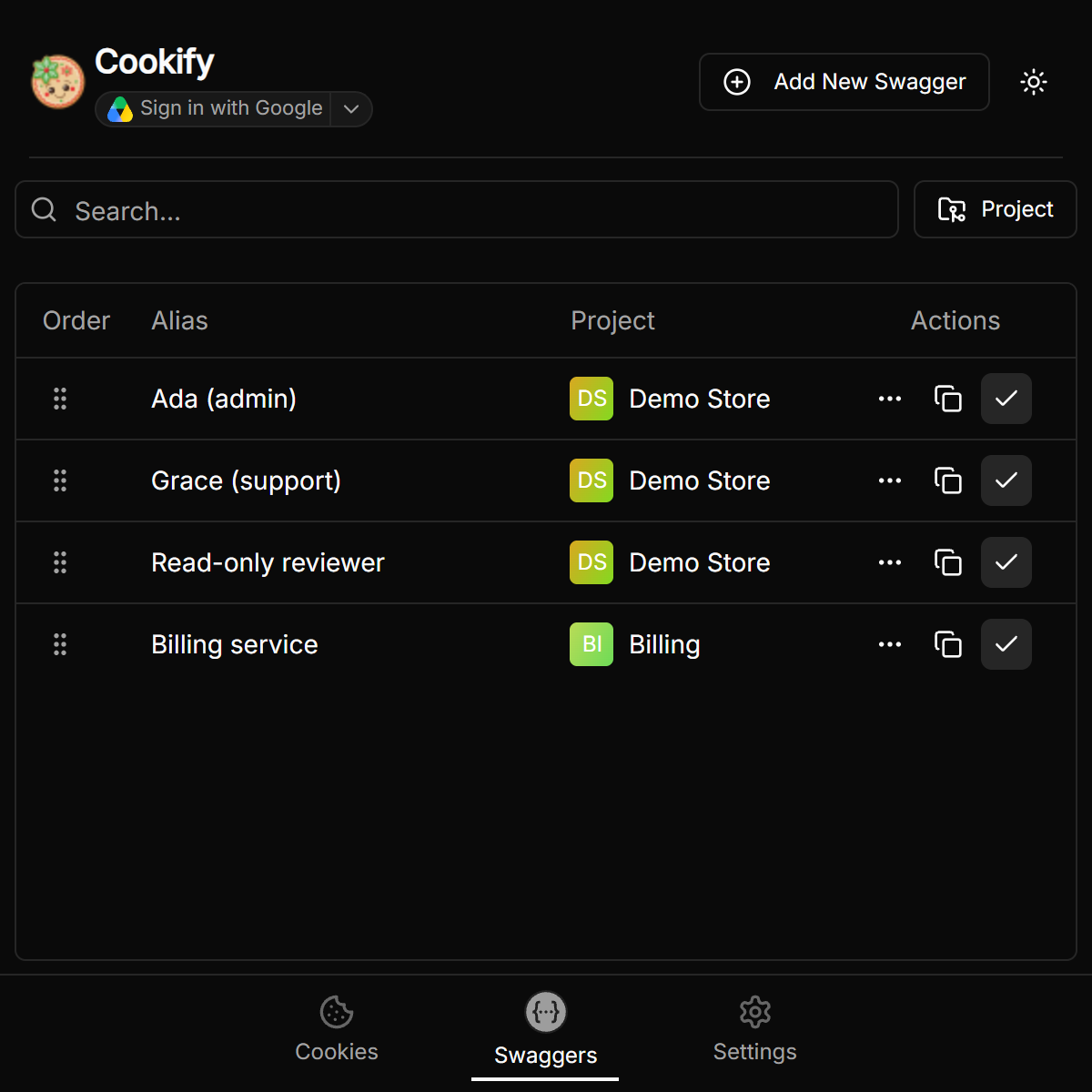
Cookies and JWT tokens in the popup

Save, organize and apply cookies and JWT tokens, grouped by project. Export everything to one compressed file, encrypted if you set a password, or use the optional Google Drive sync to continue on another computer where you left off.

Saved cookies in the popupSaved tokens in the popup

Cookify, Swagger UI and Postman

Swagger UIPostmanCookify
Works on your docs page with no importYesNoYes
Follows API changes on its ownYesNoYes
Several endpoints open in tabsNoYesYes
Environments (dev, staging, production)NoYesYes
Saved tokens per environmentNoYesYes
Collections, test scripts and mock serversNoYesNo

Need full test suites and team workspaces? Postman is the better fit, and Cookify can export your endpoints as a Postman collection. Read the full comparison.

Works with your stack

Cookify runs on Swagger UI pages and reads both Swagger 2.0 and OpenAPI 3.x documents.

StackLibraryUsual address
FastAPIBuilt in/docs
NestJS@nestjs/swagger/api
Expressswagger-ui-express/api-docs
ASP.NET CoreSwashbuckle/swagger
Spring Bootspringdoc-openapi/swagger-ui/index.html
Anything elseSwagger UIAny page that runs it

If Cookify can't find the API document on a page, the original Swagger UI stays as it is.

Questions

What is Cookify?
Cookify is a free, open source Chrome extension that turns any Swagger UI page into a Postman-like API client. It adds tabs, environments, saved tokens, a command palette and dark mode to the docs page you already have.
Is Cookify a Postman alternative?
For calling and checking an API that has Swagger docs, yes. It doesn't replace Postman's collections, test scripts or mock servers. See the comparison.
Do I need to import my OpenAPI file?
No. Cookify reads the API document from the Swagger UI page, so your endpoints, schemas and examples are already there. When the API changes, it marks what's new.
Does it change my API or my server?
No. Cookify runs only in your browser, so there's nothing to install on the server. It also works on APIs you don't own, as long as you can open their Swagger UI page.
How do I get dark mode in Swagger UI?
Install Cookify. Its view is dark by default on every Swagger UI page, and you can switch to light from the header. See all the options.
Can I go back to the original Swagger UI?
Yes. Classic view in the header brings it back for that page, and Cookify view returns.
Does it work with Redoc or Scalar?
Not yet. Cookify works on pages that run Swagger UI.
Where is my data stored?
In your browser. There's no account and no analytics, and requests go straight from your browser to your API. Google Drive sync is optional and uses a private app folder in your own Drive.

Open your Swagger docs and start working

Free and open source, with no account.